

Tips for Reducing Friction in Online Transactions Proven Strategies
- Justin Gleo

- Apr 3, 2025
- 7 min read
Updated: May 20, 2025
Reducing Friction in Online Transactions: Tips for a Smooth User Experience
Online transactions should be smooth and easy. Yet, many face obstacles. Reducing friction during these transactions is crucial. It enhances customer satisfaction and can significantly boost conversion rates. In today's digital age, consumers expect quick and hassle-free experiences when shopping online. A seamless transaction process can mean the difference between a sale and an abandoned cart.
Understanding common pain points and addressing them allows businesses to create a more streamlined user experience. This not only enhances customer trust but also fosters repeat business. In this blog, we'll explore effective tips for reducing friction in online transactions, ensuring your customers have a pleasant and efficient shopping experience.
Streamline Checkout Process
A smooth checkout process is vital. It ensures customers have a pleasant shopping experience. Simplifying this process can drastically reduce cart abandonment rates and ultimately boost sales. Below are essential tips to help you streamline your checkout process.
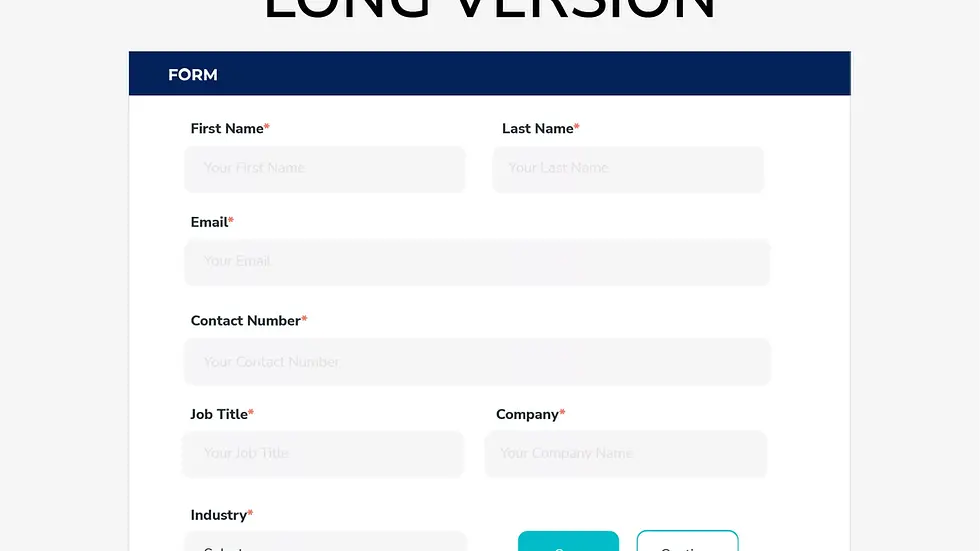
Simplify Forms
Long forms can be daunting. Simplifying them keeps customers engaged. Only ask for necessary information. Too many fields can frustrate users, leading to abandonment. Use clear labels and helpful hints to guide users through the form. Consider using a single-column layout. This allows users to focus on one field at a time. Group related fields together for improved usability.
For example, you can group:
Name
Email
Shipping Address
Payment Information
Use autofill features to save users' time. Autofill helps reduce typing errors. Validate fields in real-time to catch errors early, preventing users from having to resubmit forms.
Guest Checkout
Many users dislike creating accounts. Offering a guest checkout option speeds up the process. A guest checkout allows users to purchase without registering. This option significantly reduces barriers and improves conversion rates.
| Guest Checkout | Registered Checkout |
|------------------------------|-------------------------------------|
| Faster checkout | Slower due to account creation |
| Less friction | More steps involved |
| Privacy concerns reduced | User data stored |
Allow users to create an account post-purchase. After experiencing a seamless transaction, customers can enjoy the benefits of registration at their discretion.

Optimize Payment Options
Reducing friction in online transactions is vital for customer satisfaction. One effective way to achieve this is by optimizing payment options. Customers appreciate flexibility and ease when checking out. Improving the range of payment options can significantly reduce cart abandonment rates.
Multiple Payment Methods
Offer various payment methods to cater to different preferences. Some customers prefer credit cards. Others might opt for digital wallets like PayPal or Apple Pay. Accepting multiple options ensures more customers can complete their purchases. It’s also beneficial to include popular local payment methods for your international audience.
One-click Payments
One-click payments can dramatically simplify the checkout process. They allow customers to save their payment details for future purchases. This means they can complete transactions with a single click, saving them time and reducing effort. Quick, hassle-free payments also help in building customer loyalty. Shoppers are more likely to return if they know the process is simple.
Enhance Mobile Experience
Enhancing the mobile experience is vital for reducing friction in online transactions. Many users access websites through mobile devices. A seamless mobile experience can significantly improve user satisfaction and increase conversion rates.
Responsive Design
A responsive design adapts to various screen sizes and orientations. This ensures your website looks appealing on all devices, providing an optimal viewing experience that reduces the need for resizing or scrolling.
To implement a responsive design, consider these tips:
Use fluid grids and flexible images.
Apply media queries to adjust the layout efficiently.
Test your design on different devices.
Mobile Payment Solutions
Mobile payment solutions simplify the checkout process on mobile devices, allowing users to pay quickly and securely. Integrating options such as:
Apple Pay
Google Wallet
PayPal
These solutions offer convenience and security, which makes online transactions smoother for mobile users.
Improve Page Load Speed
Improving page load speed is crucial to enhance user experience. A fast-loading page can lead to higher customer satisfaction and improved conversion rates. Here are actionable tips to help you boost page load speed.
Image Optimization
Images can significantly slow down your site. Optimizing them can dramatically improve load speeds.
Use appropriate formats like JPEG for photos and PNG for graphics.
Compress images without compromising quality using tools like TinyPNG or ImageOptim.
Serve responsive images that adjust to the user's device size.
Minimize Redirects
Redirects can slow down your website, leading to poor user experiences. Minimizing them is essential for faster page loads.
Avoid unnecessary redirects in your site structure.
Regularly audit your site for outdated or broken links.
Use direct links whenever possible.
Incorporating these strategies can significantly enhance your page load speed. Faster pages lead to happier users and more successful transactions.
Boost Security Measures
Enhancing security measures is crucial to reducing friction in online transactions. Customers value their privacy and security, and strengthening your site’s security can build trust.
SSL Certificates
Installing an SSL certificate is essential as it encrypts data between the server and the user's browser. This protects sensitive information such as credit card numbers. Benefits of SSL certificates include:
Encrypting data transmission
Building customer trust
Improving search engine rankings
To check if your site has an SSL certificate, look for "https" in the URL, which indicates a secure connection.

Fraud Detection
Implementing fraud detection systems can further secure online transactions by monitoring and identifying suspicious activities. Here are common fraud detection methods:
Analyzing transaction patterns
Using machine learning algorithms
Implementing two-factor authentication (2FA)
Fraud detection tools can alert you to unusual behavior, helping to prevent fraudulent transactions before they occur. Below is a comparison table for some popular fraud detection tools:
Tool | Features | Price
|
Tool A | Real-time monitoring, machine learning | $$ |
Tool B | Pattern analysis, 2FA support | $ |
Tool C | Behavioral analytics, alerts | $$$ |
Choosing the right tool depends on your needs and budget. Protecting your customers' data should always be a priority.
Provide Clear Communication
Clear communication significantly reduces friction during online transactions. It ensures customers understand every step of their journey, builds trust, and ultimately reduces cart abandonment. Let's delve into two crucial areas: error messages and order confirmations.
Error Messages
Construct specific and straightforward error messages. Avoid using technical jargon. Ever heard the phrase: "Invalid input"? Instead, say, "Please enter a valid email." This makes it more user-friendly. Place error messages near the problematic field. This assists users in identifying and correcting issues quickly.
Use a friendly tone to mitigate frustration. For example, "Oops! It looks like something went wrong. Try again?" Such messages keep users engaged and guide them toward resolution.
Order Confirmation
Always send an order confirmation. This reassures the customer their order has been received. Include essential details like order number, items purchased, and expected delivery date. This provides clarity and builds trust.
Make all confirmations clear and concise. Avoid unnecessary clutter. Use a friendly, professional tone, such as: "Thank you for your purchase! Your order number is 12345." This keeps the customer informed and satisfied.
Include a contact option in the confirmation message. This helps users reach out for inquiries, reinforcing that you value their concerns and are ready to assist. Clear communication fosters a positive customer experience.
Offer Customer Support
Providing excellent customer support helps reduce friction in online transactions. Quick resolution of issues keeps customers satisfied. Let’s explore strategies for effective customer support.
Live Chat
Live chat is invaluable for any online business. It allows customers to get immediate assistance, preventing issues from escalating. Ensure your live chat is easy to locate and is accessible on every page. It should be available during peak hours for maximum effectiveness.
FAQ Section
A well-organized FAQ section answers common questions. It saves time for both customers and support staff. Make the FAQ section easy to navigate using clear, concise language. Regularly update it to include new information. Such a proactive approach can help prevent many potential issues.
Test and Optimize
Testing and optimizing online transactions can greatly reduce friction. Identifying and addressing user issues during their transaction journey is vital. By continually testing and optimizing, you can ensure a smooth and seamless experience.
A/B Testing
A/B testing compares two versions of a web page to determine which performs better. This involves creating two versions (A and B) of a web page element. Then, you split traffic between the two versions and measure results.
Identify the element, such as the checkout button.
Create two versions, changing only one aspect.
Split traffic evenly between the variations.
Analyze which version achieves higher conversions.
Regular A/B testing helps you understand user preferences and make data-driven decisions to enhance user experience.
User Feedback
User feedback is essential in identifying user pain points. It gives direct insight into challenges that frustrate users.
| Feedback Method | Description |
|---------------------------|------------------------------------------------------------|
| Surveys | Short questionnaires to gather users' opinions. |
| User Interviews | One-on-one sessions discussing user experiences. |
| Feedback Forms | Forms on your website for users to share their thoughts. |
Collecting user feedback helps you identify and resolve issues rapidly. It demonstrates that you value customer input, fostering improved loyalty.

Frequently Asked Questions
What Are Common Causes of Friction in Online Transactions?
Common causes include complex checkout processes, limited payment options, slow website loading times, and inadequate customer support.
How Can I Simplify the Checkout Process?
You can simplify the process by reducing steps, offering guest checkout, and using auto-fill for forms.
Why Is Website Speed Important for Online Transactions?
Website speed is crucial; slow load times frustrate users, leading to abandoned carts and lost sales.
What Payment Options Should I Offer?
Offer multiple payment options such as credit cards, PayPal, digital wallets, and buy now, pay later services.
Conclusion
Reducing friction in online transactions enhances customer satisfaction and sales. Simple, efficient processes help users complete purchases easily. Ensure your website is user-friendly and secure, with clear instructions and quick load times. Offer multiple payment methods and transparent fees.
Always prioritize customer experience. Implement these tips to create smoother online transactions. Happy customers are more likely to lead to repeat business and positive reviews.
Let’s Build Your Success Together
Don’t wait for results to happen — create them. With URDigital Tech, you gain more than a service; you gain a partner invested in your success.
Email us at: solutions@urdigitaltech.com
Text us at: (716) 400-0769
Contact us today to see how we can help you turn ideas into impact and opportunities into achievements.


Comments